
Buffet full house?
Your POS keeps up.
Whether you run Thai BBQ, shabu, grill, steak, salad bar or any buffet format, manage everything in one place. Open a table, pick a package, split adult and child pricing, track table time and take payments even when Wi-Fi drops.
Free during launch. No card needed. Runs on the tablet or iPad you already have.
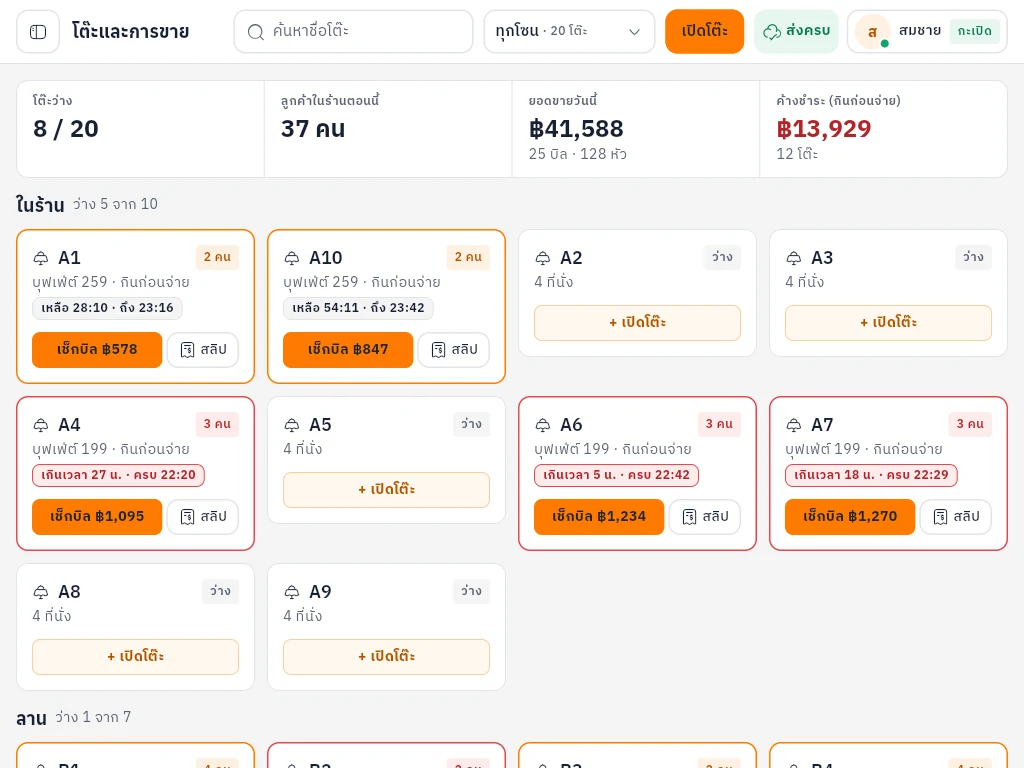
What a busy buffet rush usually looks like
Head counts on paper
How many adults, how many kids, what time they sat down. Once the room fills up, things get missed and tables run over time.
Wi-Fi drops at checkout
The online POS freezes while guests wait to pay. You write bills by hand, then type them in again after closing.
No idea what you made today
You know the sales. You don't know how much meat, produce and fresh ingredients went out. The leak shows up at month end.
Try it
Wi-Fi down? Keep taking payments.
Bills are saved on the device first and sent up when the connection comes back. Nothing to re-type. Switch the internet off below and issue a few bills.
Bills on this device
- No bills yet. Tap “Issue bill”.
Built for buffet restaurants
Every screen below is a real screenshot from the demo shop.
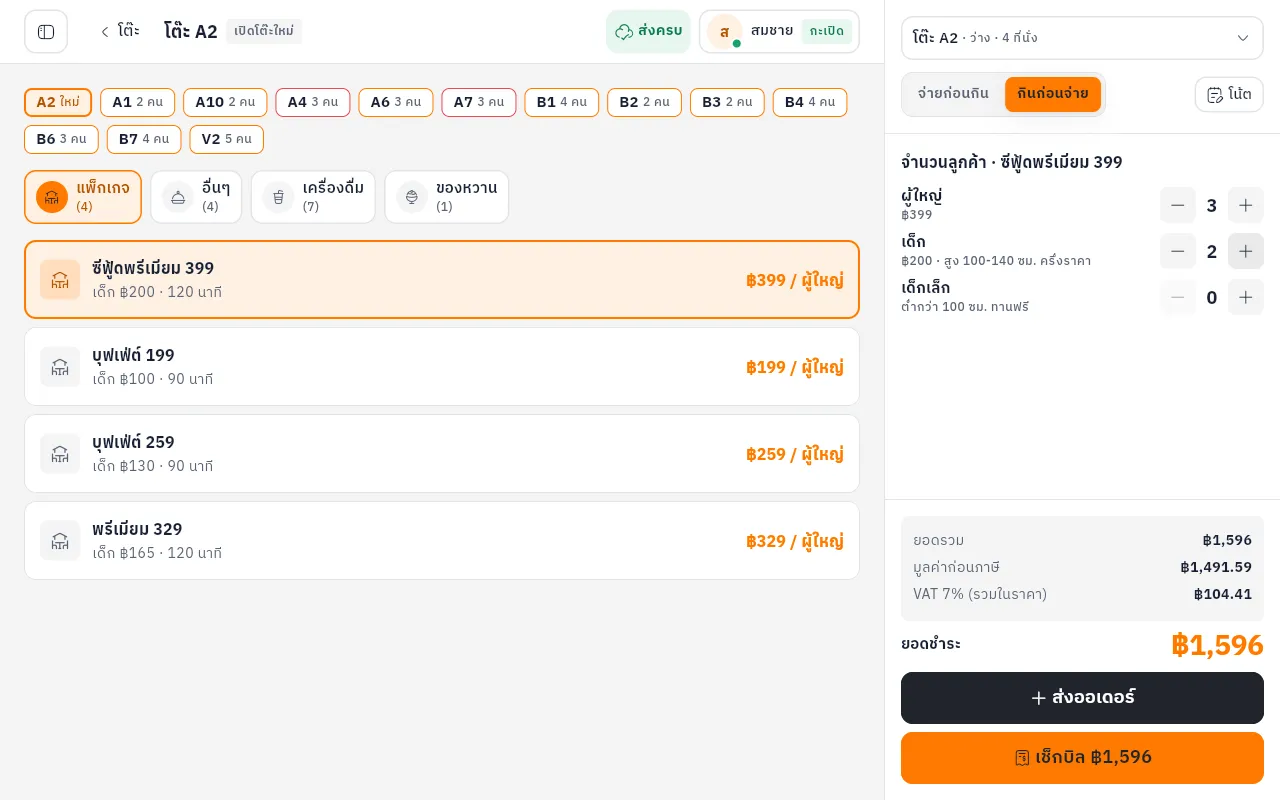
Per-head pricing with a timer
Pick a package, enter adults, kids and toddlers. Prices and the countdown are automatic; tables over time turn red.
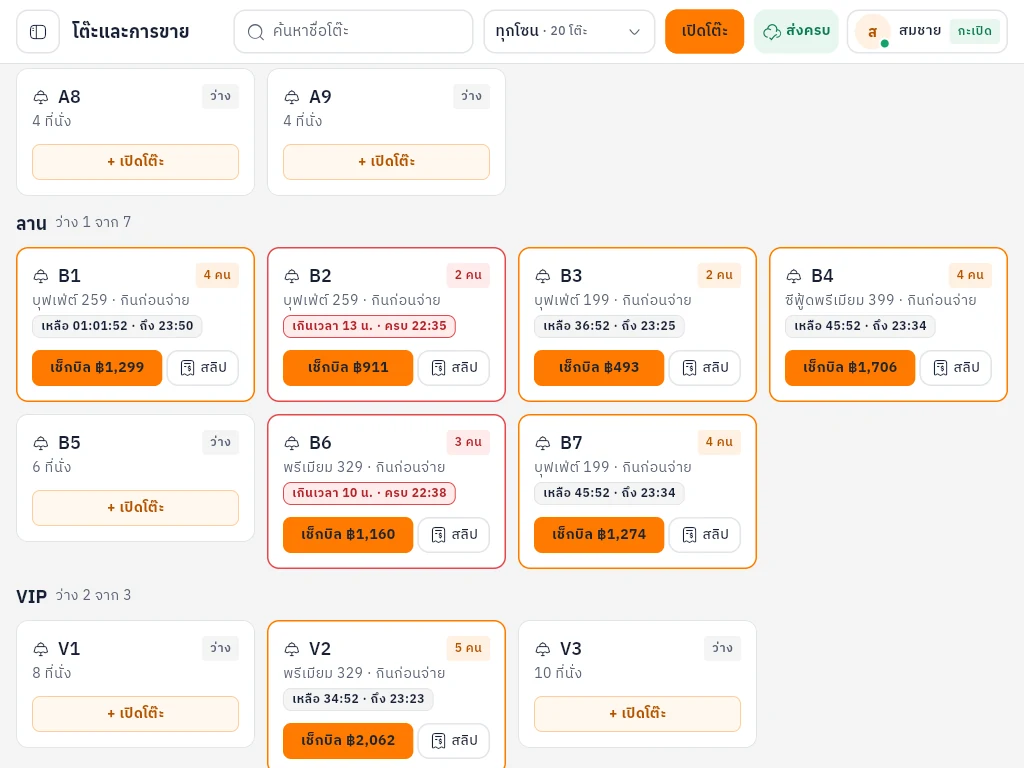
Every zone on one screen
See which tables are free and which are waiting for the bill, split by indoor, terrace and VIP.
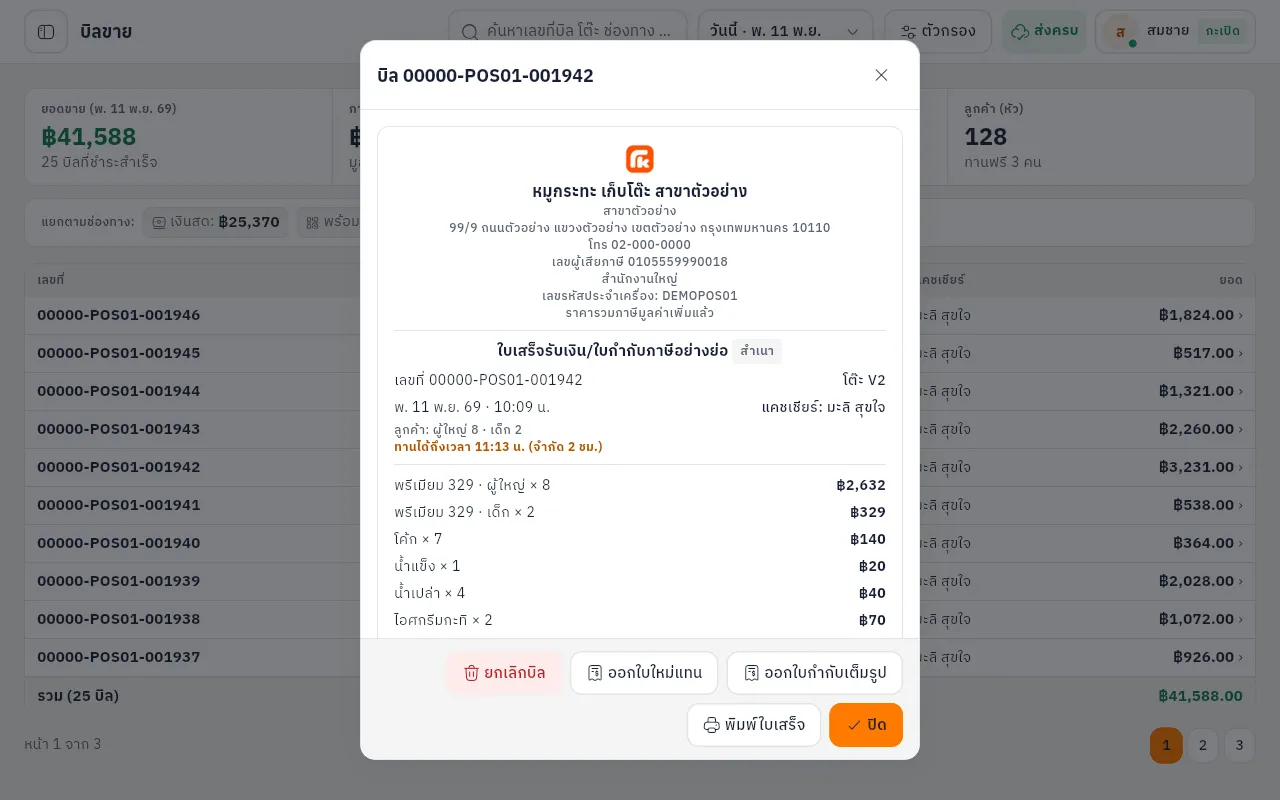
Abbreviated and full tax invoices
VAT-registered shops can issue both. Pre-tax amounts are split out, and voids or replacements keep their history.
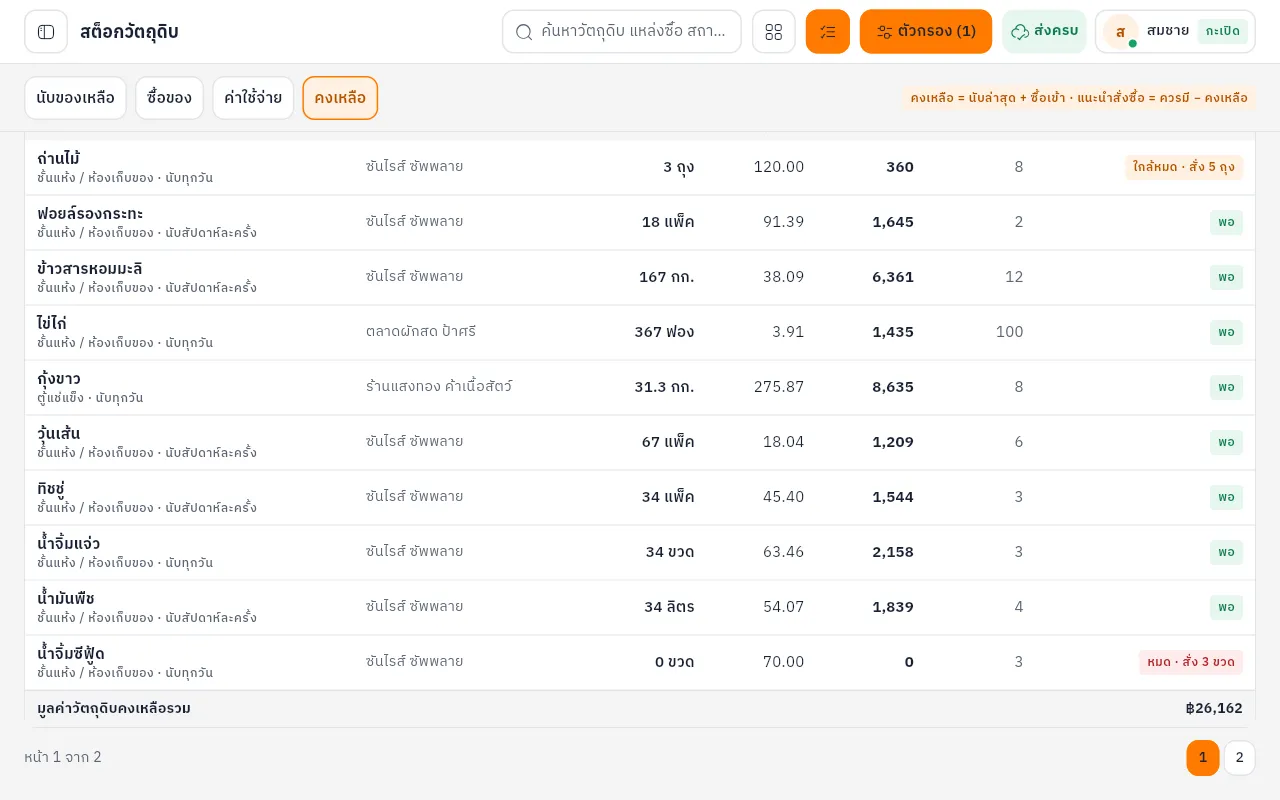
Closing stock count
Count only what's left. Usage is worked out for you, and low or out-of-stock items are flagged.
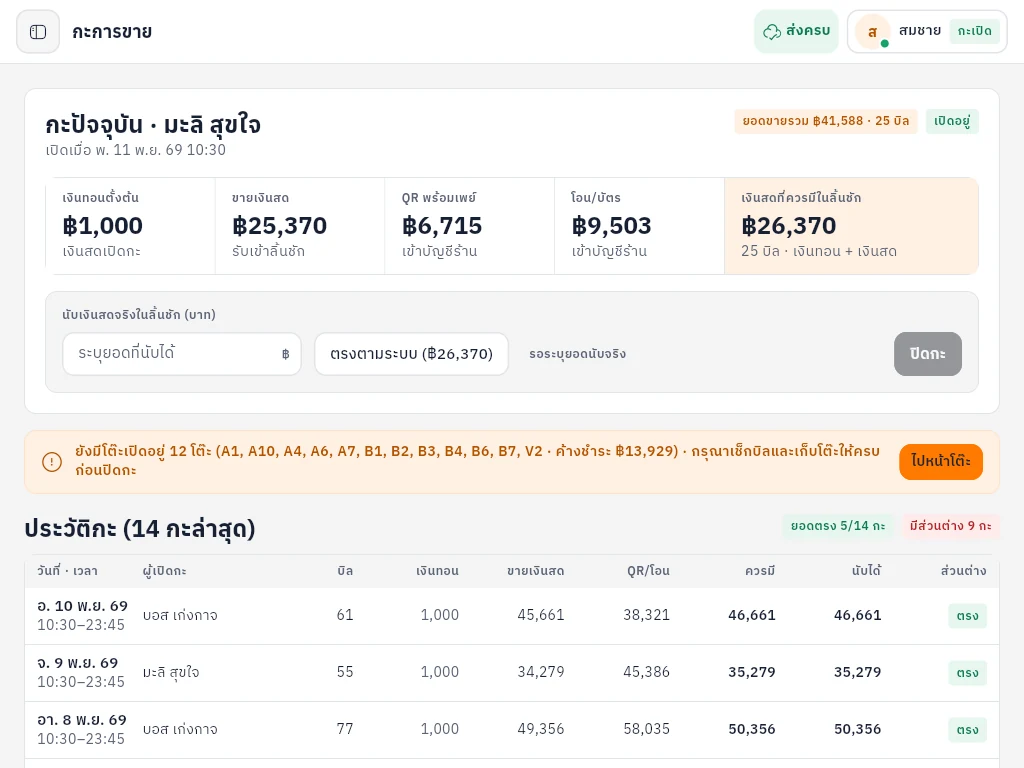
Shifts and cash drawer
Enter the float when the shift opens, count the drawer when it closes, and see the over or short.
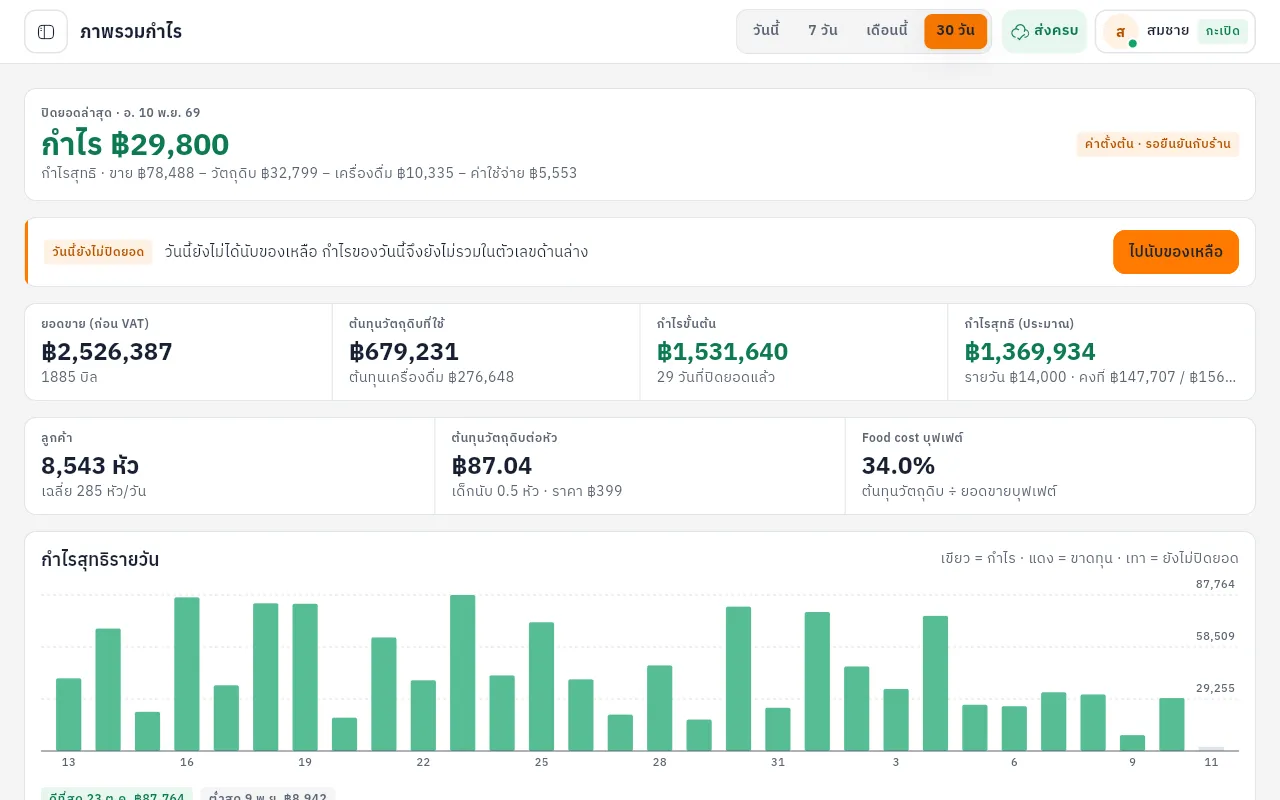
Daily profit
Close the day and see sales, ingredient cost and profit for that day. No waiting for month end.
Tax invoices from the checkout screen
Walk-in guests get an abbreviated invoice. Company guests can get a full one at the table with their tax ID and branch.
- Tax ID, branch code and machine code printed on every invoice
- VAT 7% included, with the pre-tax amount split out
- Voids and replacements reference the original
Sample Buffet Restaurant
Receipt / Abbreviated Tax Invoice
- Adult buffet × 41,196.00
- Kids buffet × 2298.00
- Drinks × 3135.00
Amount before VAT1,522.43
VAT 7%106.57
Total1,629.00
Thank you
Up and running in 3 steps
Sign up
Use email, or sign in with LINE or Google.
Set up the shop
Shop name, buffet packages, prices and tax details.
Pair the tablet
Create a pairing code on the owner's device and enter it on the front-of-house tablet.
Open to the first 50 shops
Free during launch, with a direct LINE chat to the people building it. Tell us what breaks and what you need next.
Try it free- Free during launch
- Report issues on LINE, straight to the builders
- Early shops help decide what gets built next
Common questions
What types of buffet restaurants does it support?
Every kind of buffet: Thai BBQ (mookata), shabu, grill, steak buffet, salad bar or general food buffets. It is built for per-head pricing (adult, child, toddler), table timers and table zones.
Does it work offline? What happens if the internet drops?
Yes. If the connection drops you can still open tables and issue bills. Bills are stored on the device and sync automatically when the internet returns.
Can it issue abbreviated and full tax invoices?
Yes. It supports both. Full tax invoices record buyer details such as tax ID and branch. Please confirm real-world usage with your shop's accountant.
Does it work on iPad and tablets?
Yes. KepToh runs in the browser and its layout is tuned for iPad and tablets. You can pair several devices to one shop.
How much does it cost?
It's free to try during the launch period, with no credit card. If we introduce paid plans later, we'll tell you well in advance.
Is my shop's data safe?
Each shop's data is kept separate and access requires authentication in accordance with our PDPA privacy policy.